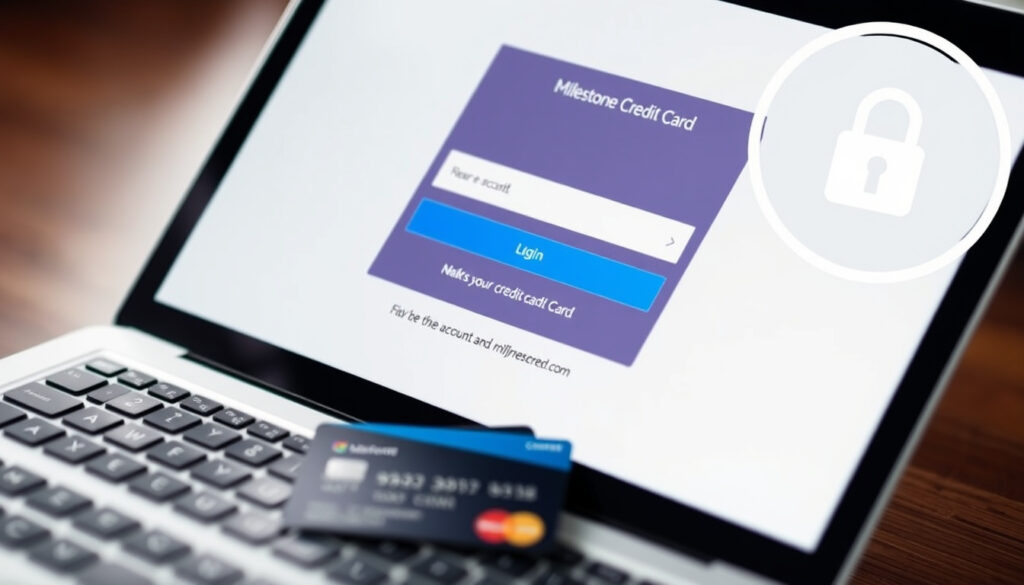
Milestone Credit Card Login: How to Access Your Account
There’s a moment when you pull out a new credit card and realize you’re not entirely sure how to actually use it online. The Milestone Mastercard is one of those cards that promises a path to rebuilding credit, but getting into your account for the first time can feel like a small hurdle. This guide walks through the exact login process, the official app you need to download, and every way to pay your bill — so you can stop hunting for links and start managing your money.
Issuer: Concora Credit (formerly Genesis FS Card Services) · Card name: Milestone Mastercard · Account access: 24/7 via website or mobile app · Mobile app: Concora Credit App (Google Play, Apple App Store) · Customer service hours: 24/7 support available
Quick snapshot
- Visit Concora Credit website (Concora Credit Consumer Accounts)
- Enter username and password (Concora Credit Consumer Accounts)
- Access account dashboard (Concora Credit Consumer Accounts)
- Download Concora Credit app (Google Play Store or Apple App Store)
- Log in with same credentials as website (Google Play Store)
- Make payments, view transactions, activate cards (Google Play Store)
- Pay online via bank transfer (Concora Credit Consumer Accounts)
- Pay by phone — Milestone Gold Card Home confirms 24/7 phone support
- Set up automatic payments — Concora Credit Consumer Accounts
- 24/7 phone support — Milestone Gold Card Home
- Online help center (Concora Credit Consumer Accounts)
- Password and username recovery via login page — Concora Credit Consumer Accounts
Six quick facts about the Milestone card’s account setup — one pattern: everything routes through Concora Credit, not a Milestone-branded portal.
| Field | Value |
|---|---|
| Card issuer | Concora Credit (formerly Genesis FS Card Services) — Concora Credit Consumer Solutions |
| Card name | Milestone Mastercard — Milestone Gold Card Home |
| Login URL | about.concoracredit.com/consumer-accounts — Concora Credit Consumer Accounts |
| Mobile app name | Concora Credit — Google Play Store |
| Payment methods | Online, phone, autopay — Concora Credit Consumer Accounts |
| Customer service availability | 24/7 — Milestone Gold Card Home |
How do I log in to my Milestone credit card account?
What you need to log in
- A username and password you created at account setup — Official Help Desk on YouTube (user tutorial)
- Your account number (not your card number) — keep your welcome letter handy
- A device with internet access (computer, phone, or tablet)
Step-by-step Milestone credit card login process
The official login page lives on the Concora Credit (the card issuer) consumer accounts section. Here’s how to get in:
- Open your browser and go to about.concoracredit.com/consumer-accounts — Concora Credit Consumer Accounts
- Click “Log In” — if you haven’t registered yet, use the “Register” link to create your account
- Enter your username and password — Official Help Desk on YouTube (user tutorial)
- Click “Sign In” — you’ll land on your account dashboard where you can view statements, check your balance, and make payments
The login URL doesn’t use the word “Milestone” — it’s under Concora Credit (the issuer’s official consumer portal). Bookmarking that one page saves you the Google hunt every time.
The implication: Milestone cardholders don’t get a custom-branded login portal. Every account action — from checking your balance to enrolling in paperless statements — happens inside Concora Credit’s unified dashboard. This means one login works across all cards serviced by Concora, not just the Milestone.
Can I access my Milestone card through the Concora Credit app?
How to download and install the Concora Credit app
Yes — the Milestone Mastercard is serviced through the Concora Credit mobile app. It’s a single app that handles all accounts under the issuer’s umbrella. Here’s where to get it:
- Google Play Store: Search “Concora Credit” — the app is listed by the developer — Google Play: Concora Credit
- Apple App Store: Search “Concora Credit” — same app, same developer — Apple App Store: Concora Credit
An app called simply “Milestone” exists on Google Play but it’s an Indian investment tool — Google Play: Milestone (not a credit card company). Downloading the wrong app and entering your credentials could expose your account to a third party. Stick to “Concora Credit.”
Logging in via the mobile app
Once the app is installed, the process mirrors the website:
- Open the Concora Credit app
- Enter the same username and password you use on the website — Google Play: Concora Credit
- Tap “Log In” — you’ll see all your accounts serviced by Concora Credit in one dashboard
The app description from Google Play (app listing) confirms you can activate a new card, make payments, and view recent transactions without touching a desktop.
The pattern: Concora Credit didn’t build a Milestone-specific app. That’s actually a benefit — you download one app, not a different one for each card you hold. But if you are having trouble finding a feature, the Apple App Store (Concora Credit listing) suggests logging in from the desktop website as a fallback.
How do I make a payment on my Milestone credit card?
Online payment steps
The simplest route: log in at Concora Credit Consumer Accounts and navigate to the payment section.
- Log in to your account
- Click “Make a Payment” — you’ll see your current balance and minimum payment
- Enter your bank routing and account numbers for a one-time transfer — or use a debit card
- Confirm the payment — funds typically post within 1-2 business days
Concora Credit says you can also view and download statements, enroll in paperless billing, and update your contact info from the same dashboard — Concora Credit Consumer Accounts.
Payment by phone options
If you prefer to speak with someone, Milestone Gold Card Home (official card site) notes that customer service is available 24/7. Call the number on the back of your card to make a payment over the phone.
Setting up autopay
You can set up automatic payments from your account settings — either the minimum payment or the full statement balance. This avoids late fees and helps build credit by ensuring on-time payments.
To set it up:
- Log in to your account
- Go to “Payments” or “Autopay”
- Choose your bank account, select the amount (minimum or full balance), and pick a due date
- Confirm — payments will process automatically each month
Autopay guarantees on-time payments, but if your checking account balance dips unexpectedly, an overdraft could cost more than a missed late fee. Keep a buffer or set up low-balance alerts on your checking account.
The implication: Three payment paths — online, phone, autopay — mean there’s almost no excuse for a missed payment. The real choice is between control (manual online payments) and convenience (autopay). New cardholders rebuilding credit may benefit from autopay’s reliability, as Concora Credit Consumer Solutions notes the card reports to all three major credit bureaus.
What should I do if I forgot my Milestone login username or password?
Resetting your password online
The login page at Concora Credit Consumer Accounts (official login) includes a “Forgot Password?” link. Here’s the typical flow:
- Click “Forgot Password?” on the login screen
- Enter your username — if you remember it
- Follow the email or SMS verification link sent to your registered contact
- Create a new password — Official Help Desk on YouTube (user tutorial)
Recovering your username
If you don’t remember your username, look for a “Forgot Username?” link — also on the login page. You’ll typically need to provide your account number or the email address on file.
If neither works, you can call customer service to verify your identity — Milestone Gold Card Home (official site) confirms 24/7 availability.
Contacting customer service for login help
When self-service fails, the customer support team can help. The number is on the back of your card, or you can find it on the Concora Credit (issuer’s official consumer portal). They can verify your identity and help reset your credentials or recover your username.
Losing access to your account can delay payments — and a late payment can ding your credit score. Since the Milestone Mastercard reports to all three major credit bureaus (Concora Credit Consumer Solutions), a missed payment shows up quickly. Resetting credentials on the same day you realize you’re locked out is the difference between a minor inconvenience and a credit hit.
Resetting your password online takes under two minutes if you remember your username and have access to your email or phone. But if you don’t have either, you’re on the phone with customer service — which, to be fair, is available 24/7.
How do I contact Milestone credit card customer service?
Milestone credit card phone number and support hours
Concora Credit provides 24/7 customer support for Milestone cardholders — Milestone Gold Card Home (official card site) confirms this. The most reliable way to get the number is:
- Check the back of your card — the phone number is printed there
- Log in to your online account — the number appears in the contact or help section
- Visit the official website — Milestone Gold Card Home often lists the support number prominently
Other ways to reach support
- Secure message center: Inside your online account, you can send a secure message to customer service
- Help center: The Concora Credit Consumer Accounts page includes FAQs and support resources
- Mail: For written correspondence, the issuer’s mailing address is on your monthly statement or welcome packet
The pattern: The phone number isn’t plastered across every page — it’s not a marketing tactic. Concora Credit routes most account management through the online portal and app, reserving phone support for real issues like lost cards, fraud, or credential recovery.
Confirmed facts and what’s unclear
Confirmed facts
- The Milestone Mastercard is issued by Concora Credit (formerly Genesis FS Card Services) — Concora Credit Consumer Solutions
- Account access is available 24/7 via the website at Concora Credit Consumer Accounts
- The Concora Credit mobile app is available on both major app stores — Google Play Store and Apple App Store
- Customer support is available 24/7 — Milestone Gold Card Home
- Payments can be made online, by phone, or via autopay — Concora Credit Consumer Accounts
- The Milestone Mastercard has no security deposit requirement — Concora Credit Consumer Solutions
- If not approved for the card, there is no impact to your credit score — Concora Credit Consumer Solutions
- The card reports to all three major credit bureaus — Concora Credit Consumer Solutions
- The Milestone Mastercard offers a $700 credit limit guaranteed if approved — Concora Credit Consumer Solutions
What’s unclear
- Exact credit limit offers on $700 cards may vary based on creditworthiness — Concora Credit Consumer Solutions guarantees $700 if approved but does not specify exact approval criteria
- Specific customer service phone numbers may change — the back of your physical card is the most reliable source
- The exact APR for the Milestone Mastercard is not fixed and varies by applicant — check your cardmember agreement
- The foreign transaction fee amount is not explicitly stated in the issuer’s public materials — check cardholder agreement for confirmation
- The exact approval criteria for the Milestone Mastercard are not publicly disclosed — Concora Credit Consumer Solutions does not list a minimum credit score
- The process for closing the account is not detailed online, requiring a phone call to customer service
- The availability of text alerts depends on account settings and may have limitations — set up after logging into your account
- The delivery time of 7–10 business days is a standard estimate and may vary depending on circumstances
- The impact of closing the card on credit score is not quantified — consider utilization effects before closing
Milestone Mastercard holders can access and manage their credit card account online using the direct-to-consumer account login links.
— Concora Credit Consumer Accounts (official issuer page)
The Concora Credit App lets users activate a card, make payments, and stay up to date with transactions — all with one login for accounts serviced by Concora Credit.
— Apple App Store (Concora Credit app listing)
Milestone Mastercard offers a $700 credit limit guaranteed if approved, with no security deposit required.
— Concora Credit Consumer Solutions (official product page)
Users who forgot their credentials can use the forgot username or password links on the login page.
— Official Help Desk on YouTube (user tutorial)
Managing a Milestone Mastercard under Concora Credit’s umbrella is straightforward once you know where to go — the consumer accounts portal, not a Milestone-branded login page. For anyone who got this card to rebuild or establish credit, the path is clear: download the Concora Credit app, set up autopay, and check your statements monthly. The risk isn’t a confusing login — it’s the fees and APR that come with cards designed for credit-building. For the cardholder rebuilding their score, the choice is simple: use autopay to guarantee on-time payments, or risk a late fee that negates months of progress.
play.google.com, apps.apple.com, about.concoracredit.com, milestonegoldcard.com, youtube.com, careers-concoracredit.icims.com, yourcreditcardinfo.com
Frequently asked questions
What credit score do I need to qualify for a Milestone credit card?
The Milestone Mastercard is designed for people with less-than-perfect credit. Concora Credit Consumer Solutions doesn’t specify a minimum score, but the card targets those rebuilding their credit history.
Is the Milestone credit card a secured or unsecured card?
It’s an unsecured card — no security deposit is required. Concora Credit Consumer Solutions confirms this directly on its product page.
How long does it take to receive my Milestone card after approval?
Standard delivery is 7–10 business days. If you’re approved, check the welcome email or call customer service for tracking updates.
Can I set up text alerts for my Milestone account?
Once logged into your account at Concora Credit Consumer Accounts, you can customize alerts for payment due dates, transactions, and balance changes.
Does the Milestone card have a foreign transaction fee?
Cardholders should check their cardholder agreement. Most cards in this category charge a foreign transaction fee of around 3%.
How do I close my Milestone credit card account?
Contact customer service at the number on the back of your card. Consider the impact on your credit score first — closing a card can lower your overall credit utilization.
What is the APR on the Milestone Mastercard?
The APR varies by creditworthiness. Check your cardmember agreement for the exact rate. Concora Credit Consumer Solutions notes the card is designed for credit building, so expect a higher APR than premium cards.
Related reading
- Community Choice Credit Union: Routing Number, Login & Branches — Another financial account login guide with step-by-step instructions
- Big Lots Credit Card: What Happens to It & How to Pay (2025) — Credit card account management and payment strategies
More related posts
 How Old Is Gordon Ramsay? Age, Family, Net Worth
 How Old Am I? Calculate Your Age in Years, Days, and Seconds
 San Francisco 49ers Schedule 2025: Today, Times & Tickets
 What Should I Make for Dinner Tonight? 15 Quick & Easy Ideas
 The Good, the Bad and the Ugly: Message, Quotes & Watch Order
 Knicks vs LA Clippers Match Player Stats – Full Box Scores & Analysis
 Bath and Body Works Promo Code 2026: Active Deals & Tips
 Knee Pain Location Chart: Identify Possible Causes of Pain